
Open Work
Open Work is a Next.js app that drives an agent, with a web browser and HTML generation, inside an isolated Hiver sandbox.
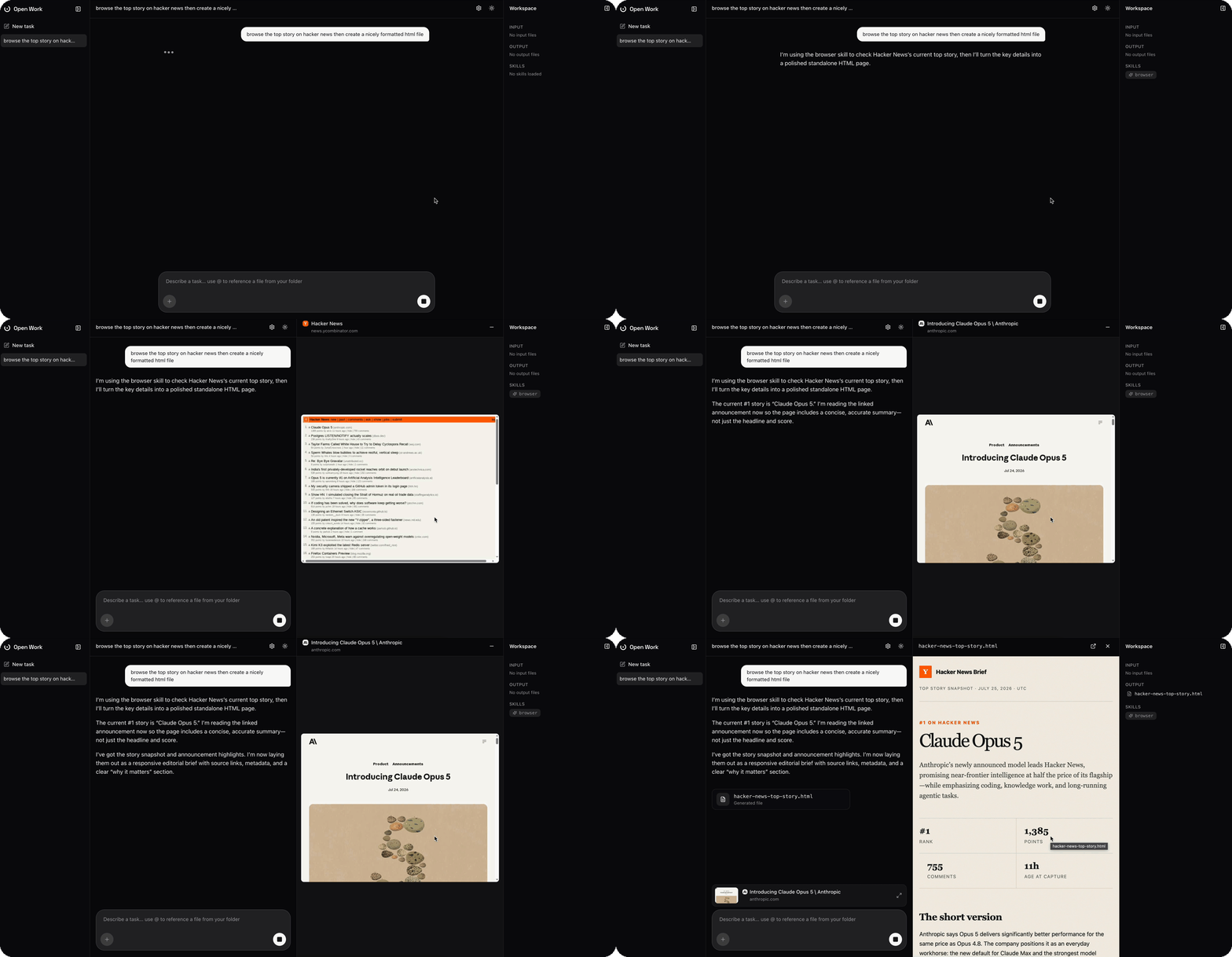
The full source lives in its own repo: hiver-sh/work.
What it is
Each task gets its own persistent agent process and its own sandbox. Files you attach or reference land in /workspace, the agent's replies stream back over a single shared SSE connection, and everything survives a page refresh or a server restart, because the conversation is rebuilt from the sandbox's own transcript rather than the browser tab.
- Starts fast. With warm-boot snapshots in place, an agent and its nested browser start in ~100ms.
- Persistent, resumable sessions. Sending a task starts one long-lived
claude -p --input-format stream-json(orcodex proto) process per task, fed over stdin. Refresh the page and the conversation is rebuilt from the sandbox, so nothing lives only in the tab. - Any model, either provider. The composer's model picker lists Claude and OpenAI models side by side; picking one switches both the engine and the sandbox image for that task.
- Keys never touch the agent. Provider API keys are set once in Settings and injected via an egress override directly on the provider's API host, never placed in the agent's environment or context.
- Files in and out. Attach files,
@-reference a local folder with fuzzy search, or let the agent write results. Everything under/workspace/inputand/workspace/outputshows live in the Workspace panel as the sandbox emits filesystem events, with a full-screen viewer for markdown, text, images, and HTML (rendered in a sandboxed iframe). - A real, driveable browser. When the agent uses its browser skill, Open Work detects the nested browser sandbox, connects over CDP, and streams the live page as video, screencast frames in, mouse/keyboard/clipboard events out. Minimize it to a thumbnail (favicon, title, URL) and it keeps streaming in the background.
- You stay in control of network access. If the agent (or its browser) tries to reach a host that isn't pre-approved, a card appears asking you to allow it, batched into one prompt per burst. Approving retries the blocked request automatically.
- Sandbox lifecycle, visible. Settings shows the active sandbox's status, deep-links into the Inspector, and adjusts its idle TTL, all applied live via
applyConfig. - Light and dark mode, smooth streamed markdown rendering, and a ChatGPT-style composer with drag-and-drop attachments.
Supported models
Open Work drives two worker orchestrators, each with its own sandbox image and set of selectable models. Picking a model in the composer switches both.
| Orchestrator | Image | Provider key | Models |
|---|---|---|---|
| Claude Code | claude | Anthropic API key | Sonnet 5, Opus 4.8, Opus 5, Fable 5 |
| Codex | codex | OpenAI API key | GPT-5.6 Sol, GPT-5.6 Terra, GPT-5.1 Codex, GPT-5.1, GPT-5 Codex, GPT-5 |
The full list, including CLI model ids and the default model, lives in lib/orchestration.ts in the repo.
Run it
You'll need a running Hiver gateway (hiver up, defaults to http://localhost:10000) and at least one provider API key (Anthropic and/or OpenAI), entered once in Settings, stored in your browser's local storage.
git clone https://github.com/hiver-sh/work
cd work
npm install
npm run dev # http://localhost:3000Warm-boot snapshots
Task and browser sandboxes can resume from a shared base VM-state snapshot instead of cold-booting the microVM each time. The config in lib/hiver.ts already points the task sandbox at the work snapshot and the browser sandbox at the browser snapshot; both are no-ops until the snapshots are captured, so this step is optional but speeds up boots.
Capture (or refresh) them with:
npm run snapshot # both: work (claude image) and browserEach run cold-boots the base image once, lets the guest settle, captures the microVM state under the shared key, and tears the builder sandbox down.
Deploy on Kubernetes
To run the Hiver control plane and sandbox pools on a cluster (instead of the local hiver up stack), use the deploy script, it installs the Hiver Helm chart against your current kubectl context and is safe to re-run:
npm run deployment # latest chart versionIt applies deployment/values.yaml, which keeps one warm pod each for the browser, claude, and codex pools (every other pool stays at replicas: 0 and launches on demand). Edit that file to change warm counts, resources, or per-service isolation, then re-run npm run deploy.
Point the app at the deployed gateway by setting its URL in Settings to the gateway's external address (find it with kubectl get svc gateway -n hiver -o jsonpath='{.status.loadBalancer.ingress[0].ip}').